Trace Teams
- 4.9
- Rating
- 10.00K
- Installs
- Free
- Price

 Analysis by App-foxy
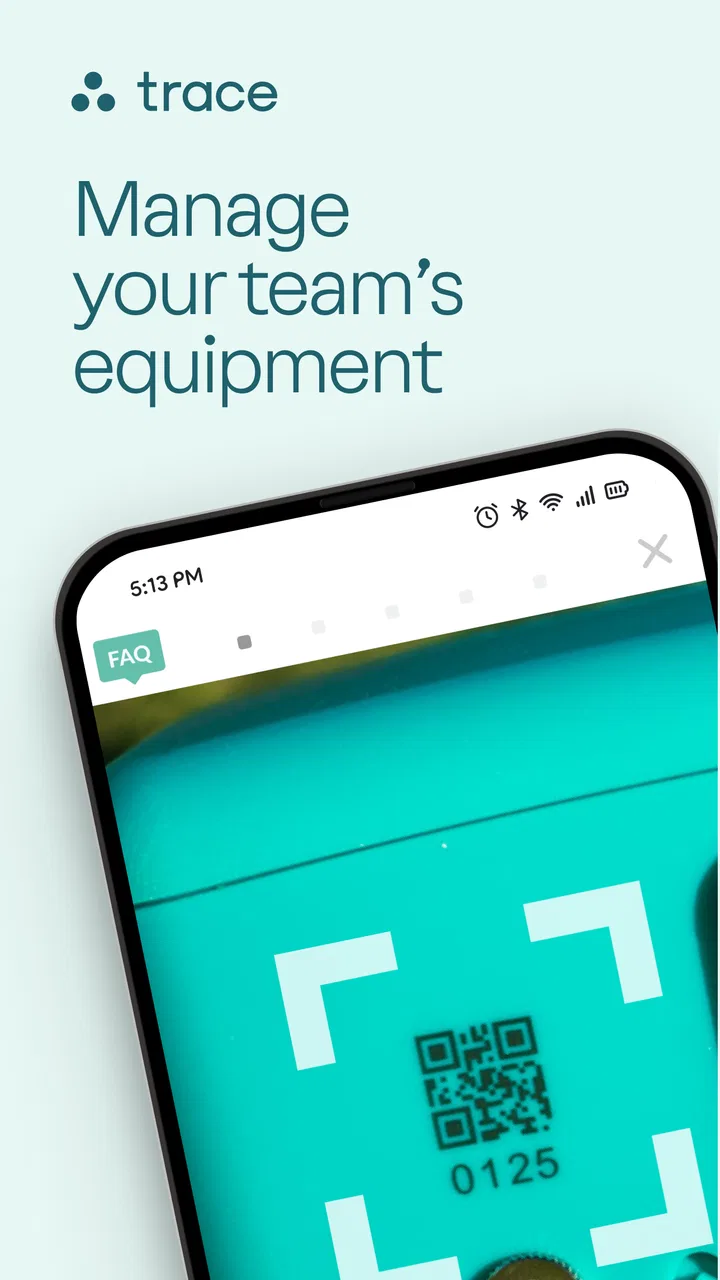
I found Trace Teams most useful when I treated it as the control center for a group using Trace equipment, rather than as a general sports tracker. Its job is practical: it brings TraceCam management, case handling, video uploads, and team rosters into one place. That focus makes it easier to organize recorded sports activity, but it also means the app’s value depends heavily on whether you already use the Trace setup.
After spending time with it, my overall view is positive but specific. This is a free sports app from AlpineReplay that can reduce the small bits of administration surrounding team video. It is not the kind of app I would recommend to someone looking for a broad fitness dashboard, a social sports network, or a standalone camera editor. For coaches, parents, athletes, and team organizers who need one shared workflow around TraceCam footage, it makes much more sense.
What Trace Teams does well in real team workflows
The strongest part of the experience is the way the app connects several tasks that are often scattered across different tools. A team may need to keep track of its camera, manage the protective case, upload footage, and maintain a roster. Handling those jobs in one dedicated app is more convenient than relying on a camera utility, a cloud-storage app, a messaging group, and a spreadsheet at the same time.
You May Also Like

 AccuWeather: Weather Radar
AccuWeather Review: A Quick, Clear Forecast for Everyday Decisions
For everyday plans, the best forecast is the one you can understand quickly. AccuWeather makes rain timing, radar, and local conditions easy to act on, with a few trade-offs.

 Hill Climb Racing
Why Hill Climb Racing Still Turns Crashes Into One More Run
A tiny car, a bumpy hill and one more upgrade: Hill Climb Racing keeps resurfacing because its simple chaos makes every near-miss feel personal.

 AliExpress - Shopping App
AliExpress Makes Global Shopping Feel Personal, but Shoppers Bear the Risk
AliExpress turns a global marketplace into a pocket-sized discovery engine. Its reach is useful, its shopping loop compelling, and its trade-offs easy to miss.

 Lords Mobile: Kingdom Wars
Lords Mobile Is a Kingdom-Building Routine, Not a Quick Match
A case-by-case verdict on the building, battles, device demands, and social commitments that make Lords Mobile rewarding for some players and exhausting for others.

 PDF Scanner app - TapScanner
TapScanner Makes Paperwork Easier to Capture, Check, and Share
TapScanner makes scanning with a phone feel less like a rescue operation and more like a dependable step in getting work done. Its capture tools are useful, though not flawless.

 Block Blast!
 Shows How Much a Puzzle Game Can Leave Out
A quiet grid game shows why puzzle players increasingly value instant clarity, repeatable skill and low-pressure play—and where the genre still needs to catch up.
More From Our News Desk
View All News


I especially appreciated the roster side of the workflow. A team list is not exciting on its own, but it becomes important when video is being organized around a group of athletes. Keeping the roster close to the recording and upload process gives the team a clearer place to begin when preparing for an event or reviewing what has already been captured.
That structure is more valuable for recurring activities than for a single casual recording. A parent filming one practice may not need a dedicated team environment. A coach handling repeated sessions, several athletes, and footage that needs to be uploaded consistently has a much stronger reason to use it. The app’s design makes more sense once video becomes part of the team’s regular routine.
Another useful detail is that Trace Teams is not limited to simply starting or stopping a recording. The inclusion of case management suggests a broader equipment workflow, which matters in sports where the camera and its housing are handled before and after activity. In practice, this encourages users to think about the entire recording process: prepare the equipment, confirm the team context, capture the session, and deal with the resulting video afterward.
That sequence can prevent a common problem with sports footage: recording something successfully but leaving it disconnected from the people or session it belongs to. When several practices accumulate, organization becomes just as important as capture quality. I see Trace Teams as most helpful at that point, because it gives the footage a team-oriented home instead of leaving everything as isolated camera files.
A practical example from a busy sports day
Imagine a parent or coach arriving at a weekend event with the TraceCam. Before the activity starts, the equipment needs to be ready, the appropriate group needs to be available in the roster, and the person responsible for the recording should know where the resulting video will go. With Trace Teams, those responsibilities sit in one sports-focused workflow rather than being divided between unrelated apps.
After the session, the upload step is just as important as the recording itself. A camera can capture excellent material, but footage that remains on a device is difficult for a team to use. The upload function gives the organizer a clear next action after the event. I would still allow time for this part, especially when dealing with a long recording or a weak connection, but having the task built into the same environment is a sensible advantage.
This is also where the app can help less technical team members. Not everyone involved in a sports group wants to understand file folders, manual transfers, or separate sharing services. A focused app can make the process feel less like managing media files and more like completing a team task. That is a modest benefit, but it can save repeated explanations during a busy season.
Why the dedicated approach beats improvised alternatives
The usual alternative is to use the camera’s basic controls and then move files through a general cloud service. That approach may work for one person, but it becomes awkward when several people need access to the same material or when recordings need to be associated with a roster. General storage tools are good at holding files; they are not necessarily good at reflecting the way a sports team works.
Another alternative is a group chat. Teams often share clips through messaging apps because everyone already has one installed. The drawback is that important videos can disappear into a long conversation, while equipment and roster details remain somewhere else. Trace Teams offers a more deliberate place for the sports workflow, which should make repeated use easier to maintain.
I would also distinguish it from a general video-editing app. Editors are useful when the main goal is trimming, adding effects, or producing a polished highlight. Trace Teams is more concerned with the path from Trace equipment to organized team footage. If your priority is editing creativity, a separate editor may be better. If your priority is keeping the recording process connected to the team, this app is the more relevant tool.
The app’s reception is encouraging for a focused utility. It holds an average rating of 4.9 from around 484 ratings, and its install count is over 10 thousand. Those figures do not prove that it will suit every team, but they do suggest that the people who find the Trace workflow relevant are responding well to it.
The limitations I would consider before installing
The biggest limitation is also the clearest boundary: Trace Teams is designed around Trace equipment and team video management. If you do not own or use a TraceCam, much of the app’s purpose disappears. Installing it just to explore a sports app is unlikely to be worthwhile, because it is not positioned as a universal tracker for running, cycling, training, scores, or schedules.
It is also not a replacement for every tool a team may need. A roster is useful, but a roster alone does not cover detailed attendance, tactical planning, competition results, or long-form coaching notes. Likewise, video uploads are helpful, but uploading is not the same as editing, annotating, or building a complete analysis library. I would use Trace Teams as one focused part of a wider team process, not assume it is the only app required.
Uploads can introduce practical friction. Large sports recordings are not as easy to handle as short phone clips, and the experience will naturally depend on the connection available after practice. My advice is to make uploading part of the post-session routine rather than leaving it until the next event. If several people share responsibility, agree on who handles the upload; otherwise, the footage may sit untouched even though the app makes the task available.
There is another trade-off in choosing a dedicated system. A general cloud folder can be opened from many devices and may fit a mixed setup better, while Trace Teams offers a more specialized path. If your team uses different cameras, multiple platforms, or an existing media-management system, the dedicated workflow may feel restrictive. The app is strongest when the group is willing to standardize around Trace rather than combine several unrelated recording methods.
I would also avoid expecting the app to solve every communication issue. A team still needs a clear agreement about who records, who checks the equipment, who uploads the footage, and who is allowed to organize the roster. The app can support those responsibilities, but it cannot replace them. In my experience, the best results come when one person owns the workflow and everyone else knows where to find the finished material.
Small habits that make the app more useful
First, review the roster before the recording session instead of waiting until afterward. This is a simple step, but it keeps the team context fresh and reduces the chance of trying to reconstruct details from memory. It is particularly useful when a group changes from one event to the next.
Second, treat the case as part of the equipment checklist. The camera may receive most of the attention, but the case affects how safely and consistently the setup is handled. Checking both together before leaving for practice is a more reliable habit than discovering a problem at the venue.
Third, upload soon after the activity while the session is still easy to identify. Delaying several recordings can turn a straightforward task into a sorting exercise. If the team records frequently, a regular upload routine is more valuable than waiting for a large batch.
Finally, decide whether the app is being used for immediate sharing, later review, or both. Those goals can lead to different habits. A parent wanting to send a moment to family may prefer a quick handoff, while a coach may care more about consistent organization across practices. Knowing the purpose helps prevent the app from becoming another place where unfinished media accumulates.
Who should use Trace Teams?
I would recommend it first to teams already using TraceCam and looking for a cleaner way to manage the surrounding process. Coaches who regularly coordinate recordings should find the combination of equipment control, uploads, and rosters more useful than a collection of unrelated apps. Parents can also benefit when they are responsible for capturing and passing along footage for a youth team.
Athletes who want a reliable record of team activity may appreciate the organized approach, especially when several people contribute recordings. The app can also suit a volunteer organizer who does not want to become the team’s full-time file manager. Its focused structure gives that person a repeatable place to handle the tasks that otherwise tend to be forgotten.
I would be more cautious about recommending it to an individual athlete who only records occasionally. If you do not need rosters or repeated uploads, the camera’s normal tools and a familiar storage app may be simpler. The same applies to someone who wants detailed fitness metrics or training plans. Trace Teams belongs to the team-video side of sports technology, not the personal-performance side.
Families should also think about how many people need access and how they intend to use the footage. If the main requirement is a quick clip for a private conversation, a general sharing method may be faster. If the goal is to build an orderly collection around practices and events, the dedicated workflow becomes more convincing.
The app is free, which removes an obvious barrier for teams deciding whether to try it. It is rated for Everyone, so its presentation is suitable for a broad audience. On Android, the current version is 3.2.1 and requires Android 11 or later. That operating-system requirement is worth checking before planning a team rollout, particularly if some parents or volunteers use older phones.
AlpineReplay has kept the product clearly positioned in the sports category rather than turning it into a general-purpose media platform. I like that restraint. It makes the app easier to understand, although it also means users should not expect the breadth of a full team-management suite or the creative controls of a dedicated editor.
My verdict after looking at the complete workflow
Trace Teams succeeds because it addresses an unglamorous but real problem: keeping sports equipment, team membership, and recorded video connected. Its strongest feature is not one isolated button; it is the way the app encourages a repeatable process from preparation through upload. For a TraceCam-based team, that can be more useful than a larger app filled with unrelated functions.
My criticism is that the same specialization narrows its audience. Without Trace equipment, the app has little reason to exist in your daily routine. Even with the camera, users wanting advanced editing, broad athlete statistics, or complete club administration will need additional tools. The app is best understood as a focused companion, not a complete replacement for every sports app a team might use.
If I were advising a friend, I would say this: install it when your team already relies on TraceCam and you want a dependable place to manage recordings and rosters. Set up a clear responsibility for equipment and uploads, and use the roster before each session rather than treating it as an afterthought. Skip it if you only need occasional phone video or a general fitness tracker.
My final recommendation is positive for the right audience: Trace Teams is a sensible, free sports utility for organized TraceCam users who value a tidy workflow more than a long list of extras. It does not try to be everything, and that is both its main strength and its main limitation.
FAQs for Trace Teams
01What is Trace Teams, and what is it used for?
Trace Teams is a team-focused app designed to help groups coordinate activities, share updates, and keep track of work or team-related information in one place. It may be useful for workplaces, clubs, sports groups, or project teams that need clearer communication and better organization. Before downloading, check the app’s current description to confirm that its features match your team’s specific workflow.
02Does Trace Teams require an account or team invitation to use?
Depending on how Trace Teams is configured, you may need to create an account, verify your email address, or join through an invitation from an existing team administrator. Some features may not be available until you belong to a workspace or group. If you are downloading the app independently, make sure you know whether an invitation code, organization login, or administrator approval is required.
03Is Trace Teams free to download and use?
The download may be free, but the available features can depend on the plan selected by your organization or team. Some versions of team-management apps include paid subscriptions, premium tools, usage limits, or administrator-controlled access. Review the store listing and any in-app pricing carefully before registering, especially if you intend to use Trace Teams for a business or large group.
04What permissions and personal information does Trace Teams request?
Trace Teams may request access to information needed for team communication and coordination, such as your name, email address, profile details, notifications, or organizational data. Additional permissions could depend on the features enabled by your team. Before accepting access, review the privacy policy and your device’s permission settings, and only provide permissions that seem necessary for the functions you plan to use.
05Will Trace Teams work on my Android or iPhone, and does it need an internet connection?
Compatibility depends on the operating system version and the release available in your country’s app store. Check the official Google Play or Apple App Store listing for the minimum Android or iOS requirements before installing. Because Trace Teams is intended for shared team information and updates, most core functions will likely require an internet connection, while offline availability may be limited.
Pros
- Live location sharing helps teams coordinate during field activities.
- Clear team-based organization makes it easy to manage multiple groups.
- Useful alerts can improve awareness of team members’ movements.
- Designed for quick access to essential tracking information.
- Can support safer operations for remote or outdoor teams.
Cons
- Continuous location tracking may raise privacy concerns for some users.
- Battery consumption can increase when GPS tracking stays active.
- The app’s usefulness depends on reliable mobile data or GPS access.
- Some features may require administrator setup before teams can use them.
- Location accuracy can vary indoors or in areas with weak signal.

Trace Teams
Gallery